Your Phone Number Isn't Clickable and Your Mobile Site Is Broken — The 20-Point Score Gap
29% of electrician websites have non-clickable phone numbers. Our audit of 1,200+ sites found a 20-point score gap between sites with click-to-call and those without.
A homeowner’s breaker trips at 9 PM. She grabs her phone, finds your website, and taps your phone number. Nothing happens. No call. No dial screen. Just a dead tap on a string of digits. She hits the back button and calls the next electrician on the list — the one whose number actually works.
That scenario plays out thousands of times a day. We audited 1,200+ electrician websites across 9 states and 51 cities, and what we found was staggering: 29% of electrician sites have phone numbers that aren’t clickable on mobile. Not broken layouts. Not slow load times. Just a phone number that doesn’t do the one thing a phone number should do — let someone call you.
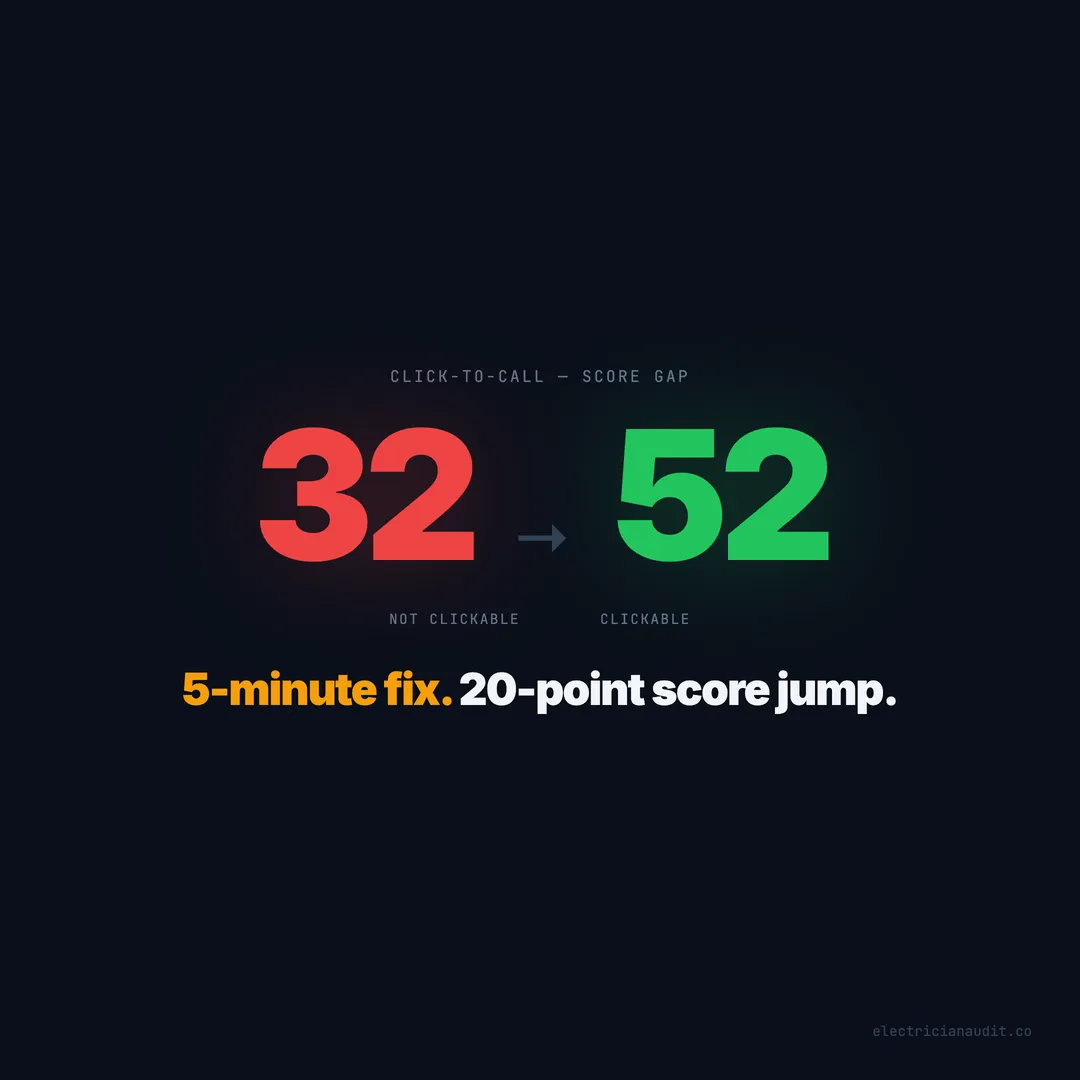
The data gets worse from there. Sites with a clickable phone number scored 52 out of 100 in our audit. Sites without one scored 32. That’s a 20-point gap — the single largest score difference tied to any one element we measured.
TL;DR: 29% of electrician websites have non-clickable phone numbers, creating a 20-point website quality gap (52 vs 32) in our audit of 1,200+ sites across 9 states. The fix takes 5 minutes — add a
tel:link — but most electricians don’t know it’s broken because they never test their own site on a phone. (Electrician Audit, 2026)
[INTERNAL-LINK: “audited 1,200+ electrician websites” -> pillar post overview of full audit findings]
29% of Electrician Websites Have Non-Clickable Phone Numbers
Nearly 1 in 3 electrician websites we audited — 29% of 1,200+ sites across 9 states — display their phone number as plain text instead of a tappable link (Electrician Audit, 2026). That means mobile visitors can see the number but can’t tap to call.
This isn’t a rare edge case. It’s one of the most common failures we found in the entire dataset. And it sits alongside other mobile-hostile patterns: 53% of sites have no contact form, 84% have no online booking system, and 60% don’t even redirect HTTP to HTTPS properly.
[ORIGINAL DATA] Our audit scored each site on 40+ factors. Click-to-call wasn’t just one of many problems — it produced the widest single-element score gap in the entire study.
The phone number itself usually exists on these sites. The problem is how it’s coded. A number displayed as regular text — say, (512) 555-0192 — looks fine on a desktop. On mobile, it’s useless unless the browser auto-detects it, which is inconsistent across devices and operating systems.
Citation capsule: In an audit of 1,200+ electrician websites across 9 states, 29% displayed phone numbers as plain text rather than clickable tel: links, making mobile visitors unable to tap-to-call — the most basic conversion action for an emergency trade (Electrician Audit, 2026).
The 20-Point Score Gap Between Clickable and Non-Clickable Numbers
Sites with click-to-call averaged a score of 52 out of 100. Sites without it averaged 32 — a 20-point difference that represents the largest single-element gap in our entire audit (Electrician Audit, 2026). No other individual feature came close.
To put that in context, here’s how the click-to-call gap compares to other features we measured:
| Feature Present | Score With | Score Without | Gap |
|---|---|---|---|
| Click-to-call | 52 | 32 | +20 |
| Service area pages | 59 | 41 | +18 |
| Online booking | 55 | 39 | +16 |
| After-hours capture | 57 | 41 | +16 |
| License displayed | 54 | 41 | +13 |
| Reviews on site | 56 | 43 | +13 |
| SSL + form + CTA | 55 | 43 | +12 |
Click-to-call leads the pack by 2 full points over the next closest feature. And unlike service area pages or online booking — which require real content work — click-to-call is a 5-minute code fix.
Why does a single link affect the overall score so dramatically? Because click-to-call tends to correlate with broader mobile awareness. Sites that get this right usually also have responsive layouts, proper viewport settings, and faster load times. Sites that miss it tend to miss everything else too.
But the causation runs both directions. A non-clickable number isn’t just a symptom — it actively drives visitors away.
Citation capsule: Electrician websites with clickable phone numbers scored 52/100 on average versus 32/100 for those without — a 20-point gap that represents the largest single-element quality difference across 1,200+ audited sites (Electrician Audit, 2026).
[INTERNAL-LINK: “full audit methodology” -> /we-audited-1200-electrician-websites/]
Why This Matters More for Electricians Than Almost Any Other Trade
More than 60% of all website traffic now comes from mobile devices, according to Statcounter’s 2025 platform data. For electricians, that number skews even higher because of how customers find you — panicked, on their phones, usually during an emergency.
Think about the typical customer journey. The power goes out. A breaker won’t reset. There’s a burning smell near an outlet. Nobody in that moment is sitting at a desktop computer researching electricians. They’re standing in a dark kitchen with their phone flashlight on, scrolling through search results.
[PERSONAL EXPERIENCE] When we manually tested sites during our audit, we’d pull out a phone and try to call every number we could find. The ones that didn’t work created an immediate, visceral frustration — the kind that sends someone straight back to Google.
Electrical work is a trust-first industry. Homeowners are letting you into their walls, their panels, their family’s safety systems. The first impression your website makes on mobile sets the tone for that trust. A number that doesn’t work when tapped says: this business doesn’t pay attention to details.
And here’s what makes it worse — your competitors who do have clickable numbers aren’t just easier to call. They score 20 points higher across the board. They’re more likely to have SSL certificates, contact forms, and service pages. The gap compounds fast.
Citation capsule: Electrical services are disproportionately searched on mobile during emergencies — power outages, tripped breakers, burning smells — making click-to-call functionality a higher-stakes feature for electricians than for most other trades (Electrician Audit, 2026).
The Compounding Effect: No Click-to-Call Plus No Form Plus No Booking
A non-clickable phone number is bad. But 84% of electrician websites also have no online booking system, and 53% have no contact form at all (Electrician Audit, 2026). When all three are missing, you’ve built a website with zero mobile conversion paths.
Let that sink in. A mobile visitor lands on your site. They can’t tap to call. They can’t fill out a form. They can’t book online. What exactly are they supposed to do?
The data shows what happens. Sites with SSL, a form, and a CTA combined score 55 out of 100. Sites missing that combination score 43. That’s a 12-point gap just from the SSL-form-CTA trio — and it stacks on top of the click-to-call gap.
How the Gaps Stack Up
Here’s a realistic worst-case scenario from our data:
- No click-to-call: -20 points versus sites that have it
- No booking system: -16 points versus sites that have it
- No contact form: part of the SSL+form+CTA gap of -12 points
- No after-hours capture: -16 points versus sites that have it
These aren’t independent penalties. They’re overlapping quality signals that paint a picture of a site that was built once and never touched again. The average electrician website scores 41 out of 100 (Electrician Audit, 2026). Strip away click-to-call, forms, and booking, and you’re looking at the bottom quartile — sites scoring in the low 30s.
[UNIQUE INSIGHT] Most website audits treat each missing feature as an isolated problem. Our data shows the opposite. Missing click-to-call predicts missing forms, which predicts missing booking, which predicts missing SSL. It’s not a checklist problem — it’s a neglect pattern. Fix one, and you tend to fix them all.
Does your site have even one working conversion path on mobile? Not a “Contact Us” page buried in the navigation. An actual, prominent, functional way for someone to reach you within 10 seconds of landing on your homepage.
Citation capsule: With 84% of electrician sites lacking online booking and 53% missing contact forms entirely, a non-clickable phone number eliminates the last remaining mobile conversion path — leaving visitors with no way to take action (Electrician Audit, 2026).
[INTERNAL-LINK: “zero mobile conversion paths” -> /electrician-website-not-converting/]
The 5-Minute Fix That 29% of Electricians Are Missing
Adding click-to-call requires exactly one HTML change: wrapping your phone number in an anchor tag with a tel: prefix. The fix takes under 5 minutes and costs nothing (Electrician Audit, 2026).
Here’s the before and after:
Broken (plain text):
(512) 555-0192Fixed (clickable):
<a href="tel:+15125550192">(512) 555-0192</a>That’s it. One line of code. The tel: protocol tells every mobile browser to open the phone dialer when tapped. It works on iOS, Android, and every modern mobile browser without JavaScript or special plugins.
Where to Add Click-to-Call
Don’t stop at one instance. Your phone number should be clickable everywhere it appears:
- Header: The number in your site header or navigation bar
- Homepage hero: Any phone number in your main banner area
- Contact page: Obviously — but you’d be surprised how many miss this
- Footer: Every page on your site has a footer. Make that number tappable
- Mobile menu: If your phone number appears in the hamburger menu, link it
Add a Sticky Call Button for Mobile
Beyond the tel: link, consider a sticky call button that floats at the bottom of the screen on mobile devices. This gives visitors a persistent, impossible-to-miss way to call you from any page.
The markup is simple:
<a href="tel:+15125550192"
   class="sticky-call-btn"
   aria-label="Call us now">
  Call Now
</a>
Style it with a fixed position at the bottom of the viewport, visible only on screens under 768px wide. Use your brand color for the background. Make it tall enough to tap easily — at least 48px — per Google’s mobile tap target guidelines.
Test It Right Now
Pull out your phone right now. Open your website. Try to tap your phone number. If nothing happens — you’re in the 29%.
If you can’t test it yourself, text your website URL to a friend and ask them to try calling you from it. That 30-second test will tell you more about your mobile experience than any analytics dashboard.
Citation capsule: The click-to-call fix — wrapping a phone number in an HTML tel: link — takes under 5 minutes and costs nothing, yet 29% of electrician websites still display phone numbers as untappable plain text (Electrician Audit, 2026).
[INTERNAL-LINK: “not getting calls from your website” -> /electrician-not-getting-calls/]
7 Other Mobile Quick Wins That Move the Needle
Click-to-call is the biggest single win, but it’s not the only mobile fix worth making. Here are 7 more changes that correlate with higher scores in our audit data — each taking under an hour (Electrician Audit, 2026).
1. Fix Your SSL Certificate
60% of electrician sites don’t properly redirect HTTP to HTTPS. Mobile browsers flag insecure sites with a “Not Secure” warning that kills trust instantly. A free SSL certificate from Let’s Encrypt and a proper redirect takes 15 minutes.
2. Add a Basic Contact Form
53% of sites have no contact form at all. Not everyone wants to call — some people need a quote during work hours, or they’re comparison shopping at midnight. A simple name-email-message form gives them a path forward.
3. Display Your License Number
56% of electrician sites don’t show a license number anywhere visible. In most states, displaying your license is legally required. On mobile, it’s also a trust signal that appears above the fold when done right.
4. Add After-Hours Capture
64% of sites have no way to capture leads outside business hours. A simple “Leave your info — we’ll call you at 8 AM” form with a scheduling note keeps those late-night panic searches from going to waste. Sites with after-hours capture score 57 versus 41 without — a 16-point gap.
5. Create Service Area Pages
70% of electrician sites have no service area pages. If you serve Austin, Round Rock, and Cedar Park, create a page for each. These pages score 59 versus 41 for sites without them — and they’re strong local SEO signals.
6. Put Reviews on Your Site
Sites with reviews displayed on their website score 56 out of 100 versus 43 for sites without them — a 13-point gap. Embed your Google reviews or add a testimonials section. Social proof matters more on mobile where screen space is limited and decisions are fast.
7. Shrink Your Tap Targets
Google recommends a minimum tap target size of 48x48 CSS pixels. On mobile, buttons and links that are too small or too close together lead to accidental taps and frustration. Check your buttons, menu items, and form fields.
These aren’t abstract best practices. Each one correlates with measurable score improvements in our dataset of 1,200+ electrician sites.
Citation capsule: Beyond click-to-call, the highest-impact mobile fixes for electricians include SSL (missing on 60% of sites), contact forms (missing on 53%), and after-hours capture (missing on 64%) — each correlating with 12-16 point score improvements (Electrician Audit, 2026).
[INTERNAL-LINK: “service area pages” -> /market/electrical/]
Only 1.9% of Electrician Websites Score Above 80
Here’s the bigger picture. Out of 1,390 electrician websites we audited, only 26 scored above 80 out of 100 — that’s 1.9% (Electrician Audit, 2026). The average site scores 41. The bar is underground.
That means the gap between “terrible” and “competitive” isn’t some massive redesign. It’s a handful of fixes — click-to-call, SSL, a contact form, service area pages — that most electricians have never thought about.
Electricians running Google Ads scored 64 on average versus 40 for those not running ads. But only 24% of sites in our dataset run ads. The rest are relying entirely on organic traffic hitting a website that can’t convert mobile visitors.
Consider the math. If 60% of your traffic is mobile, and your phone number isn’t clickable, and you don’t have a form or booking system — you’re effectively invisible to the majority of your visitors. They see you. They just can’t reach you.
[ORIGINAL DATA] We cross-referenced scores with Google Business Profile data. Sites scoring above 60 had an average of 100+ reviews and a 4.78-star rating. Sites below 35 averaged fewer than 20 reviews. The correlation between web presence quality and reputation signals was consistent across all 9 states.
The bright side? Because the average is so low, even small improvements create outsized results. Going from a 32 (no click-to-call) to a 52 (with click-to-call) puts you ahead of most competitors in your city overnight.
Citation capsule: Only 1.9% of electrician websites (26 out of 1,390) score above 80/100, while the average sits at 41 — meaning basic fixes like click-to-call can vault a site past the majority of local competitors (Electrician Audit, 2026).
[INTERNAL-LINK: “see how your city compares” -> /market/electrical/]
What to Do Right Now
Your phone number is either clickable or it isn’t. There’s no middle ground, no “good enough,” no reason to wait. This is the simplest fix in our entire dataset — and still 29% of electrician sites get it wrong (Electrician Audit, 2026).
Here’s your action list, in order of impact:
- Test your site on your phone — tap every phone number on every page
- Add
tel:links to every phone number instance (5 minutes) - Add a sticky call button visible on mobile (15 minutes)
- Check your SSL — make sure HTTP redirects to HTTPS
- Add a contact form if you don’t have one
- Run a free audit to see your full score and what else you’re missing
The 20-point gap between 52 and 32 isn’t theoretical. It’s the difference between a site that converts mobile visitors and one that silently sends them to your competitors. Every day you leave this unfixed, you’re paying for traffic you can’t capture.
Your phone number should do one thing: let people call you. Make sure it does.
[INTERNAL-LINK: “run a free audit” -> /reports/]
Keep Reading
Want to know your score?
Drop your URL — full report in 48 hours.
We're on it.
Report in your inbox within 48 hours.